What Is Enterprise Resource Planning (ERP)? A Complete Guide for Businesses
Businesses manage many activities every day, including finance, employee management, inventory, purchasing, sales, and reporting. When these activities operate through separate software tools or spreadsheets, it becomes difficult to keep information accurate and ensure that every department works with the same data.
This is where Enterprise Resource Planning (ERP) becomes useful. An ERP system connects different business functions through a shared platform, helping organizations manage their daily operations more efficiently.
Whether a company is growing its workforce, managing multiple projects, or handling complex financial records, understanding ERP can help business owners make better technology decisions. This guide explains what ERP means, how it works, its main benefits, the different types of systems, and how to choose the right solution for your organization.
What Is Enterprise Resource Planning (ERP)?
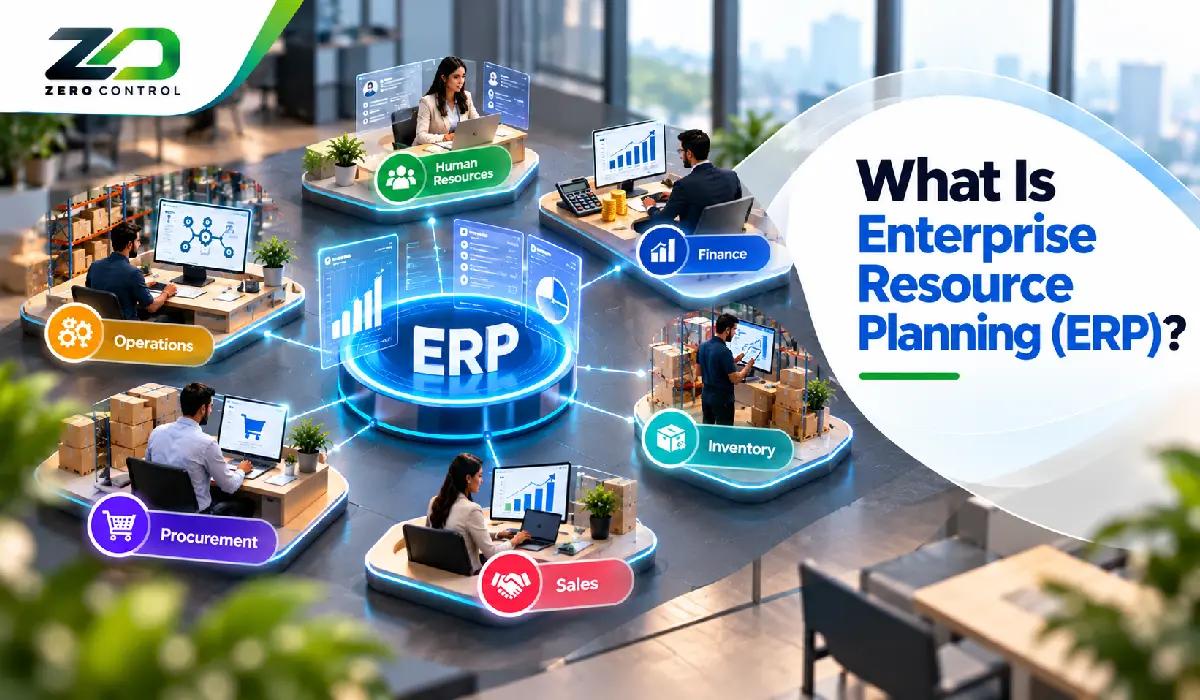
Enterprise Resource Planning (ERP) is a business management approach that uses integrated software to manage and coordinate an organization's core operations. Instead of keeping financial information, employee records, inventory details, and operational data in separate systems, an ERP platform brings these functions together in one place.
For example, when a company purchases new equipment, the purchasing department can record the transaction in the ERP system. The finance team can access the relevant expense information, while management can review updated budgets and purchasing reports without manually collecting data from multiple departments.
Small businesses, growing companies, and large enterprises can use an ERP system. The features required will depend on the organization's size, industry, business processes, and operational complexity.
Modern ERP software may include accounting, human resources, payroll, inventory management, procurement, sales, project management, and reporting capabilities. Some platforms also provide industry-specific features for businesses such as manufacturing companies, distributors, and manpower or staffing agencies.
The main purpose of ERP is to create a more connected business environment where teams can access reliable information and coordinate their work more effectively.
What Is an ERP System and How Does It Work?
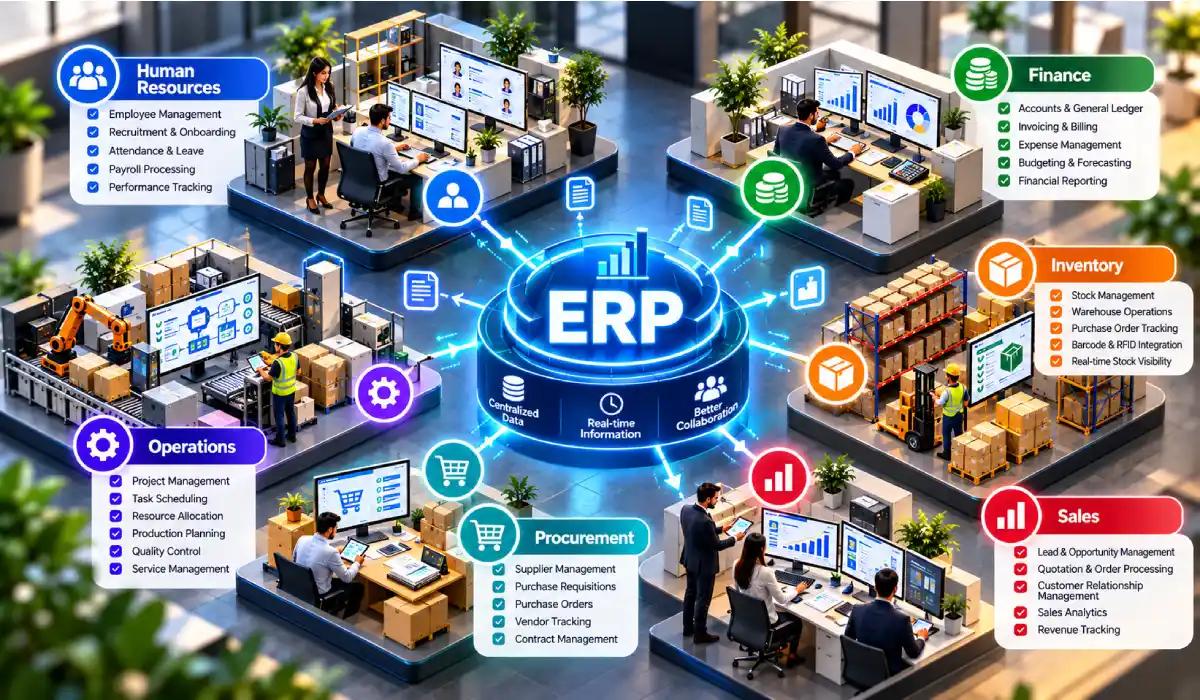
An ERP system works by connecting business departments through a shared database and a set of integrated applications, commonly known as ERP modules.
Each department records and manages its activities within the system. Authorized users can then access relevant information according to their responsibilities and permissions.
Consider a staffing company that supplies employees to several clients. When a new staffing requirement arrives, the company may need to manage candidate details, employee availability, client contracts, attendance, payroll, and invoices.
Without an integrated system, these activities may require multiple spreadsheets, repeated data entry, and regular communication between departments. With a suitable ERP system, information can be connected across these processes.
A typical ERP workflow looks like this:
- Data entry: Employees enter relevant information, such as customer details, attendance records, purchase orders, or invoices.
- Data integration: The system connects information with the appropriate departments and modules.
- Process automation: Configured workflows perform repetitive tasks, calculate values, or trigger notifications where supported.
- Reporting: Managers review dashboards and reports to understand business performance.
- Decision-making: Teams use the available information to identify problems, plan resources, and improve operations.
The exact workflow depends on the software and its configuration. An ERP system does not automatically eliminate every manual task; successful implementation requires suitable processes, accurate data, and employee training.
What Are the Main ERP Modules?
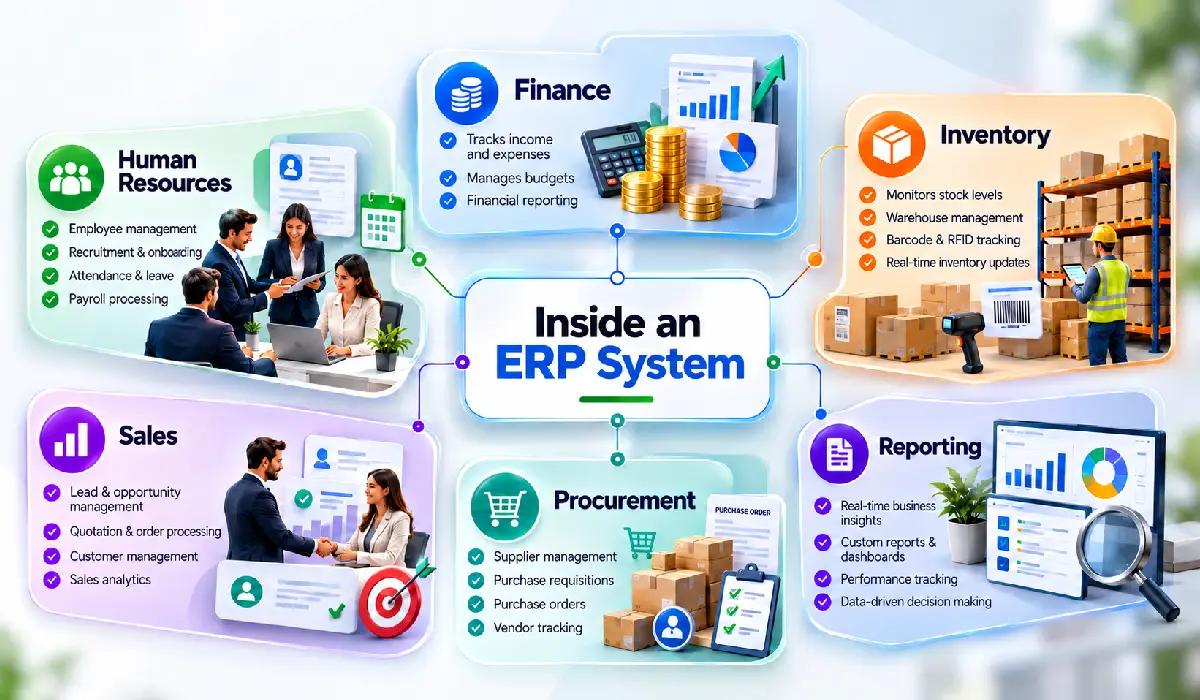
ERP modules are individual functional areas that work together within the broader platform. Businesses can select modules based on their requirements rather than adopting every available feature.
1. Finance and Accounting
Finance modules help businesses manage income, expenses, invoices, payments, budgets, and financial reports. Depending on the software, they may also support tax calculations, bank reconciliation, and accounts payable and receivable.
These capabilities help finance teams maintain consistent records and understand the organization's financial position.
2. Human Resource Management
Human resource modules maintain employee information, job details, leave records, onboarding information, and other workforce-related data. Some systems also support recruitment, performance management, and employee self-service.
For organizations with a large workforce, centralized employee records can reduce administrative effort and improve information accessibility.
3. Payroll and Attendance
Payroll and attendance features help businesses track working hours, shifts, overtime, leave, and salary calculations. Integration between attendance and payroll can reduce repeated data entry and make payroll processing more consistent.
However, businesses should verify that the system supports their local employment regulations, wage rules, and statutory reporting requirements.
4. Inventory and Procurement
Inventory modules help companies monitor stock levels, product movements, purchase orders, and supplier information. Procurement features can support purchasing approvals and supplier coordination.
These tools are particularly useful for businesses that need visibility into stock availability, purchasing costs, and replenishment requirements.
5. Sales and Customer Management
Depending on the platform, ERP software may manage quotations, orders, customer records, billing, and sales reports. Some solutions integrate with dedicated customer relationship management (CRM) systems to provide broader customer lifecycle management.
6. Reporting and Business Analytics
Reporting modules bring business information together in dashboards and reports. Managers can monitor relevant indicators, compare performance across periods, and identify areas that require attention.
The quality of these reports depends on the accuracy and completeness of the underlying data.
What Are the Benefits of ERP Software?
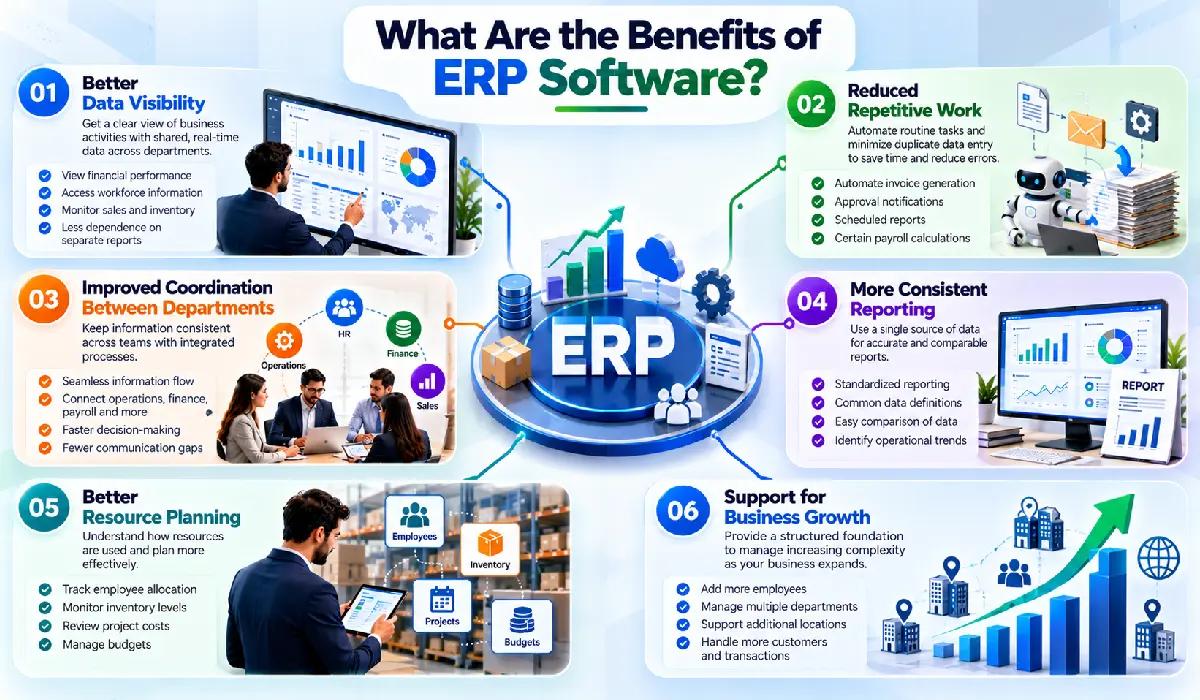
The benefits of ERP depend on how well the system matches a company's needs and how effectively it is implemented. For many organizations, the greatest value comes from connecting processes that previously operated independently.
Better Data Visibility
When departments work with shared information, managers can obtain a clearer picture of business activities. They can review financial performance, workforce information, sales figures, or inventory data without relying entirely on separate reports.
Reduced Repetitive Work
ERP software can automate selected tasks, such as invoice generation, approval notifications, scheduled reports, and certain payroll calculations. Reducing duplicate data entry may save time and lower the risk of common administrative errors.
Improved Coordination Between Departments
Integrated processes help departments exchange information more consistently. For example, a completed service assignment may provide information needed by operations, finance, and payroll, depending on the system's configuration.
More Consistent Reporting
A centralized platform can reduce differences between departmental reports by using common data sources and reporting definitions. This makes it easier for decision-makers to compare information and identify operational trends.
Better Resource Planning
ERP solutions help businesses understand how resources are being used. Depending on the modules available, managers can review employee allocation, inventory levels, project costs, and budgets to support planning.
Support for Business Growth
As an organization expands, its processes often become more complicated. A well-selected ERP platform can provide a structured foundation for managing additional employees, departments, locations, customers, and transactions.
However, these benefits are not guaranteed simply by purchasing software. They depend on process design, implementation quality, user adoption, and ongoing maintenance.
What Are the Different Types of ERP Systems?
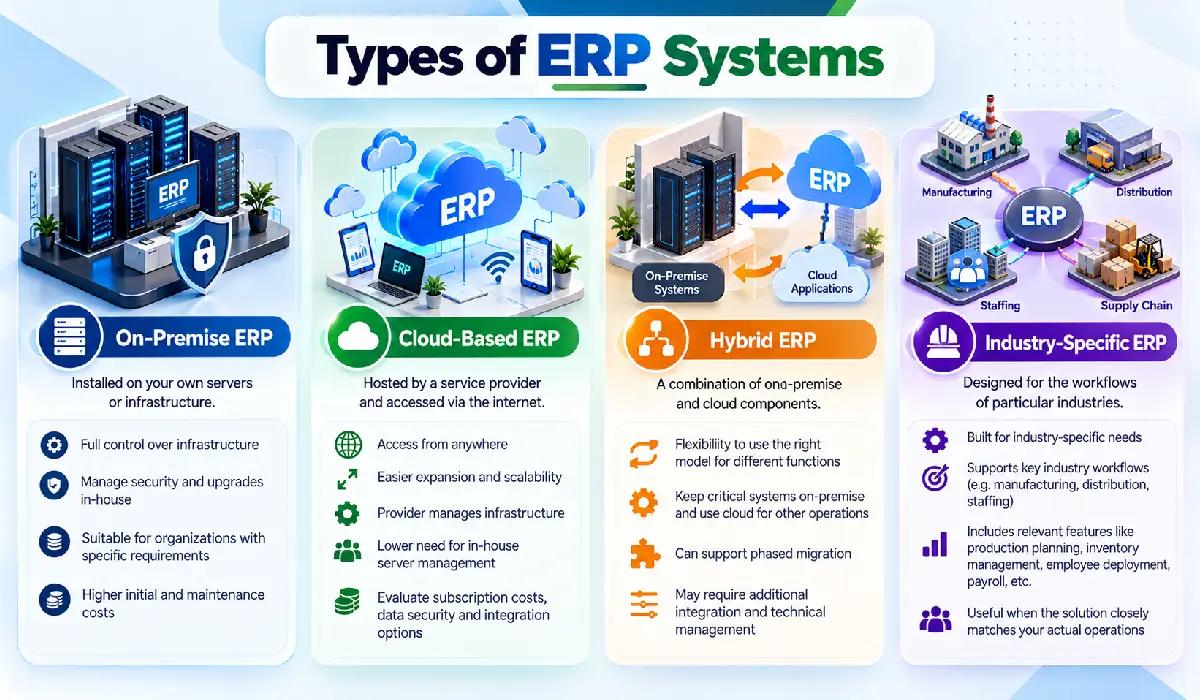
ERP systems can be classified according to their hosting model, deployment approach, and level of customization.
On-Premise ERP
An on-premise ERP system is installed on an organization's own servers or infrastructure. The business typically has greater direct responsibility for infrastructure management, security configuration, upgrades, and maintenance.
This approach may suit organizations with specific infrastructure requirements or established internal IT capabilities. However, initial infrastructure and ongoing maintenance costs can be significant.
Cloud-Based ERP
Cloud-based ERP is hosted by a service provider and accessed through the internet. The provider generally manages much of the underlying infrastructure, although responsibilities vary according to the service agreement.
Cloud-based ERP can offer easier remote access, simpler expansion, and less need for in-house server management. Businesses should still evaluate subscription costs, data residency, security controls, integration options, and internet connectivity requirements.
Hybrid ERP
A hybrid ERP approach combines cloud-based and on-premise components. For example, an organization may keep certain systems on its own infrastructure while using cloud applications for other functions.
This arrangement can provide flexibility but may require additional integration and technical management.
Industry-Specific ERP
Some ERP solutions are designed for the workflows of particular industries. Manufacturing businesses may need production planning, while distribution companies may prioritize inventory and supply chain management.
Similarly, staffing businesses may require employee deployment, attendance, client billing, and payroll coordination. An industry-focused solution can be useful when its capabilities closely match the organization's actual operations.
How Is ERP Used in Different Industries?
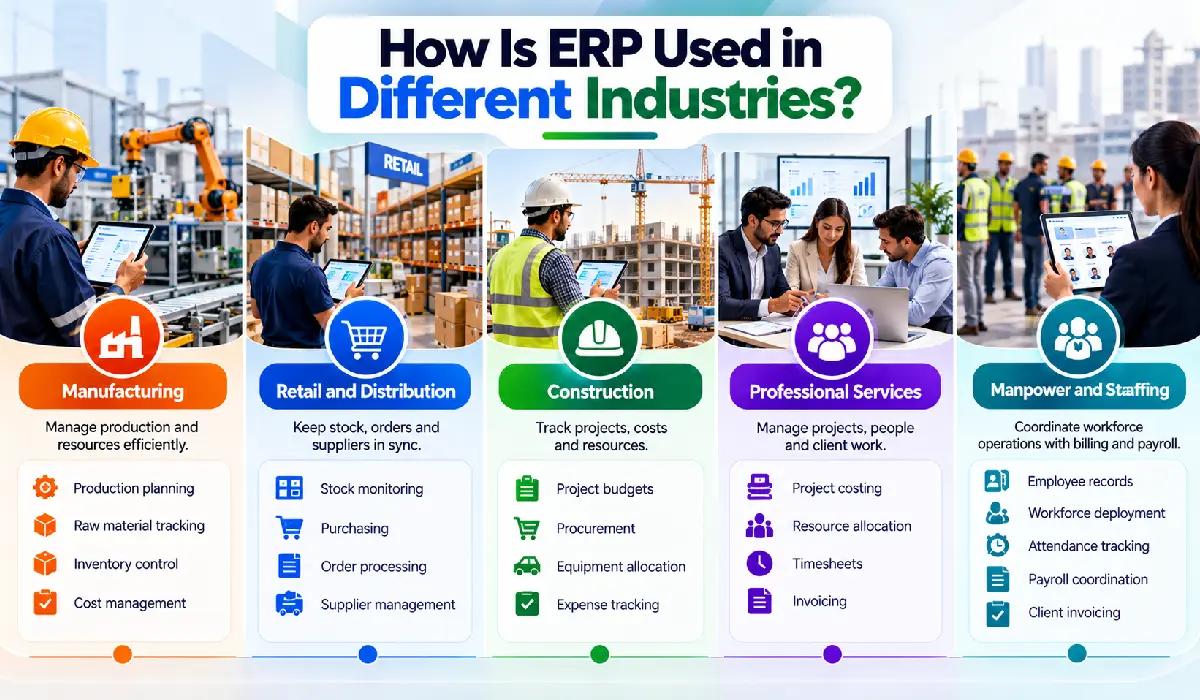
ERP is not limited to large manufacturing companies. Its applications vary depending on the industry and the business processes that need coordination.
- Manufacturing: Production planning, raw material tracking, inventory control, and cost management.
- Retail and distribution: Stock monitoring, purchasing, order processing, and supplier management.
- Construction: Project budgets, procurement, equipment allocation, and expense tracking.
- Professional services: Project costing, resource allocation, timesheets, and invoicing.
- Manpower and staffing: Employee records, workforce deployment, attendance, payroll coordination, and client invoicing.
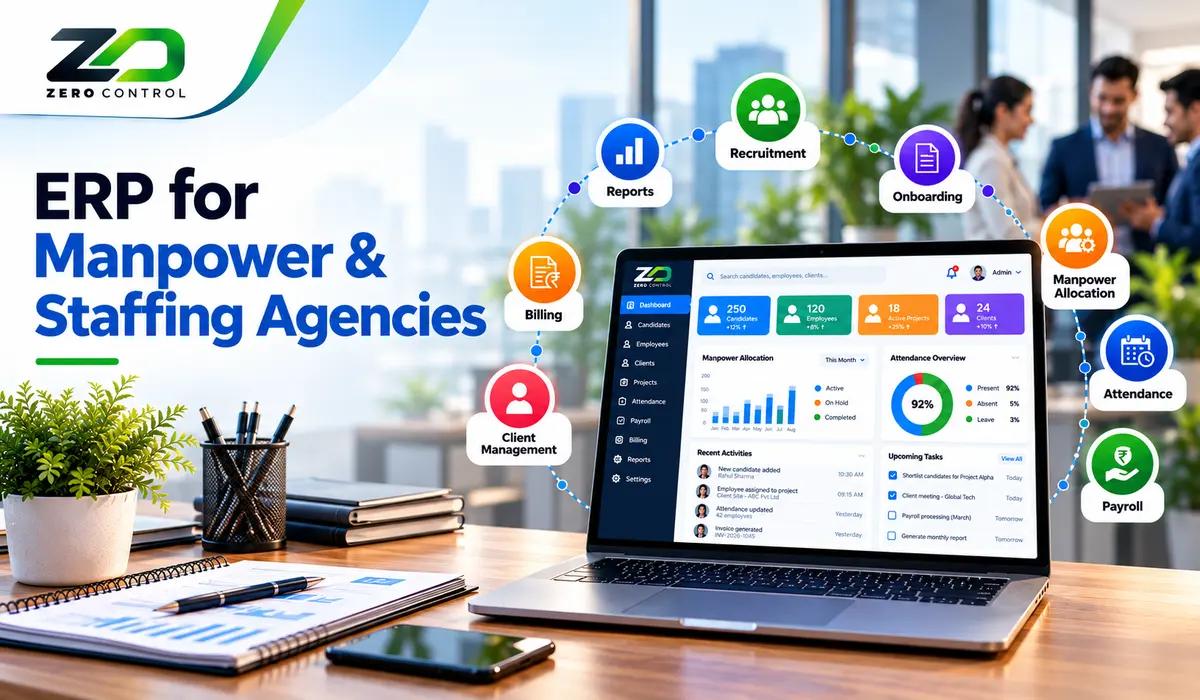
For companies that provide workers to multiple clients, connecting workforce operations with billing and payroll processes can be especially important. Businesses exploring this use case can learn more about ERP for Manpower & Staffing Agencies and the operational requirements that industry-specific systems may address.
The right solution should reflect the organization's real workflow rather than forcing employees to adopt unnecessary processes.
What Is ERP in Accounting?
ERP in accounting refers to using an integrated business system to manage financial transactions and connect them with other operational activities.
For example, when an approved purchase is recorded, the system may update the relevant expense or payable records. When a customer invoice is created, the associated receivable information can become available to the finance team.
Depending on the system, accounting-related features may include:
- General ledger management
- Accounts payable and receivable
- Invoice and payment tracking
- Budgeting and expense management
- Financial statements and reports
- Tax-related records and reconciliation tools
The key difference between standalone accounting software and an ERP platform is the broader level of integration. Accounting software focuses primarily on financial management, whereas ERP can connect finance with HR, inventory, procurement, operations, and other business functions.
For businesses with increasingly complex operations, this integration can improve financial visibility and reduce the need to reconcile disconnected systems manually.
ERP vs. CRM: What Is the Difference?
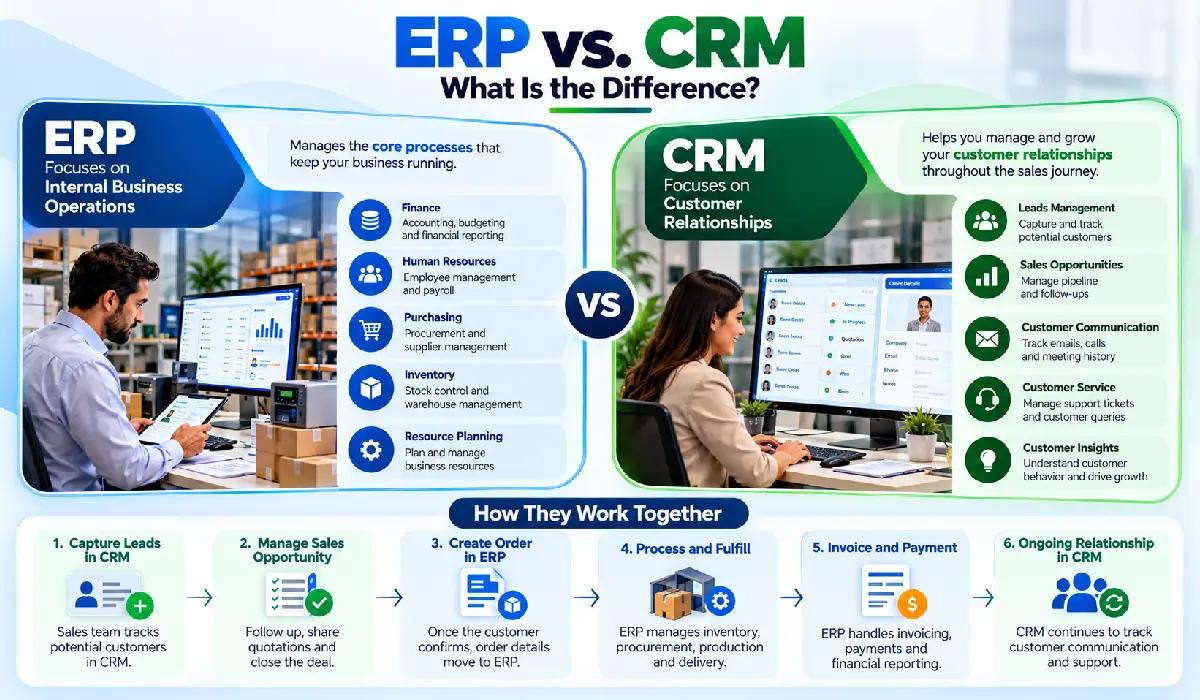
ERP and Customer Relationship Management (CRM) software serve different but complementary purposes.
ERP focuses on internal business operations, such as finance, employee management, purchasing, inventory, and resource planning. CRM focuses on customer relationships, including leads, sales opportunities, communication history, and customer service.
For example, a sales team may use CRM software to track a potential customer's requirements and follow up on a quotation. Once the customer places an order, the relevant information may be transferred to an ERP system for order processing, inventory management, invoicing, and financial reporting.
Some business platforms combine ERP and CRM capabilities, while others integrate separate applications. The best arrangement depends on the company's size, sales process, reporting needs, and existing technology.
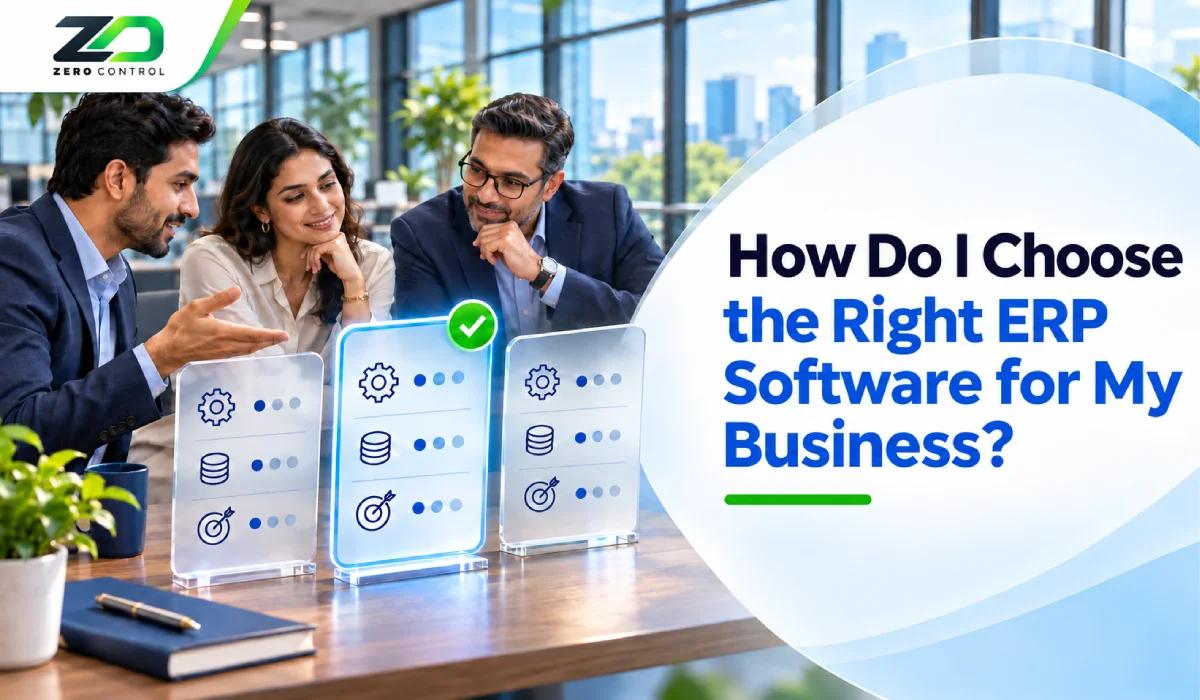
How to Choose the Right ERP Software for Your Business
Selecting ERP software requires more than comparing prices or counting features. Businesses should first understand which problems they need the system to solve.
Use the following considerations when evaluating potential solutions.
- Identify your business requirements. Document existing processes, repetitive tasks, reporting gaps, and integration problems. Prioritize the challenges that have the greatest operational impact.
- Evaluate essential modules. Determine whether you need accounting, HR, payroll, inventory, project management, workforce management, or other capabilities. Avoid paying for features that do not serve a clear purpose.
- Check integration capabilities. Confirm that the software can work with your existing accounting tools, CRM, payment systems, attendance devices, or other essential applications.
- Review security and access controls. Ask about role-based permissions, backups, data encryption, audit logs, recovery procedures, and the provider's security practices.
- Calculate the total cost. Consider subscriptions or licenses, implementation, customization, employee training, integrations, support, and future upgrades.
- Test the system before committing. Request a demonstration based on realistic business scenarios. Where possible, run a pilot with a small team before expanding across the organization.
A useful ERP evaluation focuses on measurable business requirements rather than selecting the platform with the longest feature list. Businesses researching ERP Software should also compare usability, implementation support, scalability, and the vendor's ability to meet their operational needs.
What Is ERP Implementation, and How Long Does It Take?
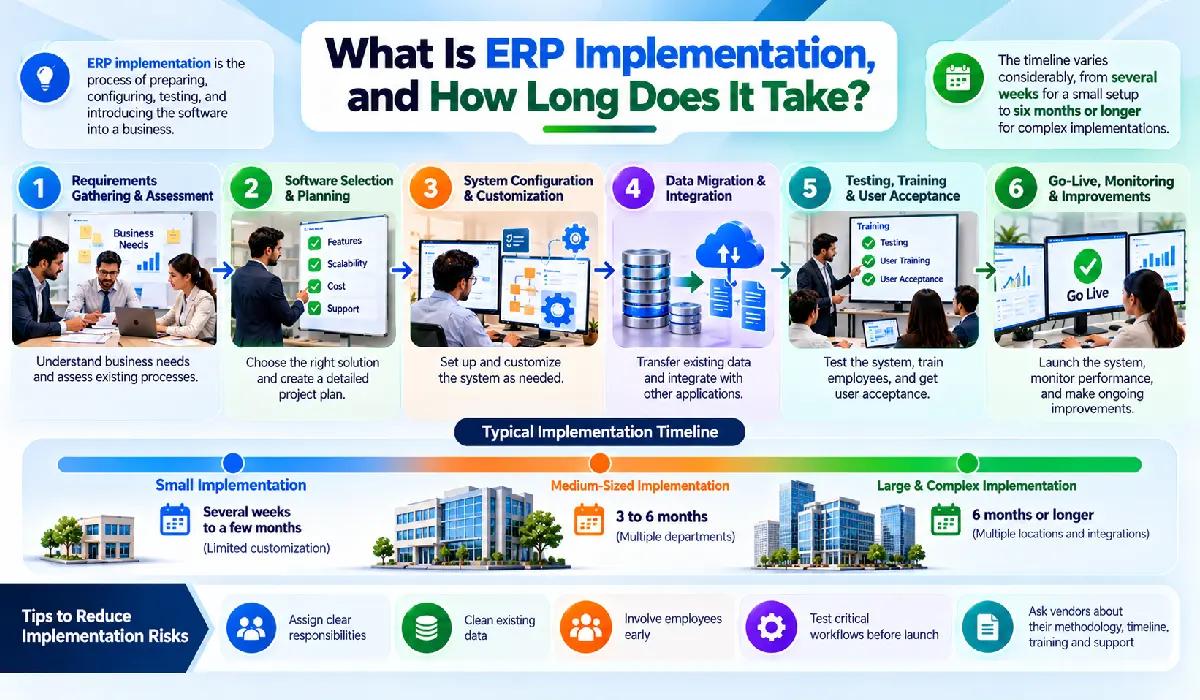
ERP implementation is the process of preparing, configuring, testing, and introducing the software into a business. It may also involve transferring existing data, integrating other applications, redesigning workflows, and training employees.
The timeline varies considerably. A small implementation with limited customization may take several weeks to a few months, while a large organization with multiple departments, locations, and complex integrations may require six months or longer.
A typical implementation includes these stages:
- Requirements gathering and process assessment.
- Software selection and project planning.
- System configuration and customization, where necessary.
- Data migration and application integration.
- Testing, employee training, and user acceptance.
- Go-live, monitoring, and ongoing improvements.
Businesses can reduce implementation risks by assigning clear responsibilities, cleaning existing data, involving employees early, and testing critical workflows before launch.
Organizations looking for ERP software for business should ask vendors to explain their implementation methodology, expected timeline, training arrangements, support commitments, and approach to handling unexpected issues.
Final Thoughts
Enterprise Resource Planning brings finance, HR, payroll, inventory, and operations into one connected system. Instead of chasing data across spreadsheets and separate tools, your teams work from the same accurate information and make decisions faster.
The right ERP is not the one with the most features. It is the one that fits how your business actually runs. Start by listing your biggest operational problems, shortlist systems that solve them, and test each one with real scenarios from your daily work. Clean data, clear ownership, and proper team training will decide how well the system performs after go-live.
If you are ready to explore options, Zero Control can help you understand which ERP approach suits your business and what to expect from implementation. Book a demo to see how a connected system could work for your team.
Frequently Asked Questions About ERP
1. What is Enterprise Resource Planning (ERP)?
ERP is software that brings a company's core functions, such as finance, HR, inventory, purchasing, and operations, onto one shared platform. Instead of each team keeping its own records, everyone works from the same data.
2. How does an ERP system work?
Each department enters its data into a common database through its own module. The system links that data across departments, runs configured workflows such as approvals and notifications, and gives managers dashboards and reports based on what was entered.
3. What are the main benefits of ERP software?
Companies typically gain clearer visibility into their numbers, less duplicate data entry, smoother handoffs between teams, more consistent reports, and better planning of people, stock, and budgets. How much you gain depends on how well the system fits your processes and how it is rolled out.
4. What are the key modules of an ERP system?
The most common modules cover finance and accounting, human resources, payroll and attendance, inventory and procurement, sales, and reporting. Vendors package these differently, so check which ones are included and which cost extra.
5. What are the different types of ERP systems?
ERP can be deployed on your own servers (on-premise), hosted by a vendor (cloud-based), or split between the two (hybrid). There are also industry-specific systems built around the workflows of sectors like manufacturing, distribution, or staffing.
6. Why is ERP important for businesses?
As a business grows, separate tools and spreadsheets lead to delays, repeated work, and conflicting reports. ERP addresses this by keeping departments connected and information consistent, which matters most once operations become too complex to manage manually.
7. What is the difference between ERP and CRM?
ERP handles what happens inside the business, such as accounting, purchasing, inventory, and staff. CRM handles customer-facing activity, such as leads, sales opportunities, and communication history. Many companies connect the two so an accepted quote flows straight into order processing and invoicing.
8. How long does ERP implementation take?
A small rollout with little customization can finish in a few weeks to a few months. Larger organizations with several departments, locations, or integrations often need six months or more. Data migration, customization, and testing are what stretch the timeline most.
9. Is cloud-based ERP better than on-premise ERP?
Neither is better in every case. Cloud ERP lowers the burden of managing servers and makes remote access easier, while on-premise gives you more direct control over where and how data is hosted. Let your security needs, compliance rules, budget, and IT capacity decide.